



One of the most common questions about dash cams is simple:
How long can a dash cam record?
The answer is not a single number.
A dash cam might record for a few hours on one memory card or much longer on another setup. The actual recording time depends on how much video data the camera generates and how much storage space is available.
Resolution, bitrate, the number of recording channels, memory card capacity, video compression, and loop recording can all affect how long your footage stays on the card.
Understanding these factors makes it much easier to choose the right storage capacity and avoid running out of space when you need your footage.
What Determines How Long a Dash Cam Can Record?
The simplest way to understand recording time is:
More video data per second = more storage used.
More storage capacity = more footage retained.
A dash cam recording a single 1080P camera uses much less storage than a system recording multiple high-resolution cameras at the same time.
That is why asking whether a “128GB card is enough” does not have one universal answer.
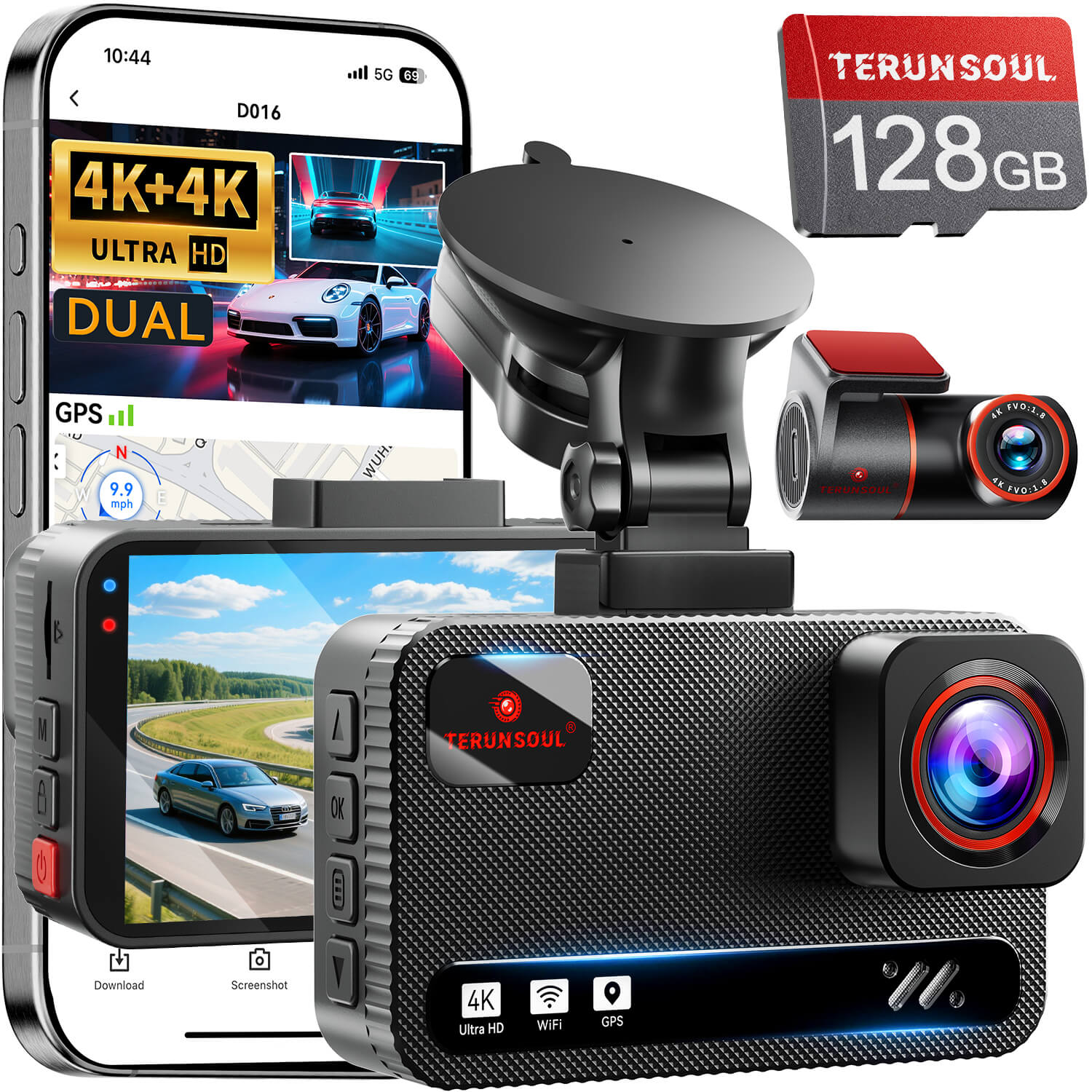
For example, a dual-channel 4K system is generating footage from two cameras, while a three-channel system may simultaneously record front, rear, and cabin video. TERUNSOUL's D016 records 4K front and 4K rear, while the D018 records 4K front, 4K rear, and 1080P cabin footage. Both support a 128GB card and cards up to 512GB. TERUNSOUL
The more data the camera produces, the faster the storage fills.
1. Video Resolution Affects Recording Time
Resolution is one of the most obvious factors.
A 4K recording contains substantially more image data than a 1080P recording. When other settings are comparable, higher-resolution footage generally requires more storage.
That means:
1080P → less storage per hour
2K → more storage per hour
4K → more storage per hour
But resolution alone does not determine the answer.
Two cameras can both record in 4K while using different bitrates or compression settings. Their actual file sizes and recording times can therefore be different.
This is why a statement such as “a 128GB card always records 8 hours of 4K” should be treated cautiously.
2. Bitrate Can Make a Big Difference
Bitrate describes how much video data is processed or stored per second, usually measured in Mbps.
For dash cams, bitrate matters because it directly affects the amount of data being written to the memory card.
A higher bitrate can preserve more video information, but it also creates larger files.
This is closely related to the question of recording time.
For example:
Higher bitrate → larger video files → shorter recording time
Lower bitrate → smaller video files → longer recording time
Resolution and bitrate are related, but they are not the same thing.
A 4K dash cam does not automatically have one fixed bitrate, and two different 4K cameras can produce different file sizes.
For a more detailed explanation, see our guide:
What Is Dash Cam Bitrate? How It Affects Video Quality and Storage
This is also why bitrate should be considered when comparing recording-time claims between different dash cams.
3. The Number of Cameras Changes Everything
A single-camera dash cam only has to save one video stream.
A dual-channel dash cam records two.
A three-channel dash cam may record front, rear, and cabin footage simultaneously.
That additional video data can significantly increase storage usage.
Imagine three systems:
Single channel:
Front camera only
Dual channel:
Front + rear
Three channel:
Front + rear + cabin
Even when the front camera uses the same resolution, the multi-camera systems are producing more total video data.
This is particularly important when choosing a memory card for a 4K multi-channel dash cam.
For example, a 128GB card may provide a very different recording window for a single 4K camera than for a 4K+4K+1080P three-channel system.
So when comparing dash cams, always look at the total recording configuration, not just the resolution of the front camera.
4. SD Card Capacity Determines How Much Footage You Can Keep
The memory card determines how much recorded footage can remain stored before older files need to be overwritten.
Common capacities include:
- 64GB
- 128GB
- 256GB
- 512GB
In general:
Larger card = more footage retained
But bigger is not automatically better.
The dash cam must support the card's capacity, and the card itself should be suitable for continuous video recording.
A dash cam constantly writes and rewrites data, which is different from occasional photography or normal file storage.
That is why compatibility and endurance matter alongside capacity.
5. Loop Recording Changes What “Continuous Recording” Means
Here is an important distinction:
How long can a dash cam record?
and
How long can a dash cam keep all recorded footage?
These are not necessarily the same question.
Most dash cams use loop recording.
Instead of stopping when the memory card becomes full, the camera divides video into smaller clips and gradually overwrites the oldest normal footage with new footage.
So a compatible dash cam can continue recording during daily driving even after the card has filled up.
TERUNSOUL D016, for example, supports 1-, 3-, and 5-minute loop recording, with older footage overwritten as the card fills. TERUNSOUL
This means you do not necessarily need enough storage for every mile you have ever driven.
You need enough storage for the amount of footage you want to retain before it is naturally overwritten.
So, Does a Dash Cam Really Record 24 Hours?
It depends on what you mean by “record for 24 hours.”
A dash cam can support continuous recording over a long period when it has a continuous power source and enough storage, but that does not mean a 128GB card will permanently retain 24 hours of full-resolution driving footage.
For example, with loop recording enabled, the camera can continue recording after the memory card fills by replacing older normal files.
Parking mode is another situation.
Some parking modes record continuously at reduced settings, while others use event detection or time-lapse methods to reduce power and storage consumption.
So “24-hour parking monitoring” and “24 hours of full-resolution footage stored on the card” should never be treated as exactly the same thing.
How Much Storage Do You Actually Need?
There is no single ideal capacity for every driver.
Instead, think about how you use your vehicle.
Occasional Drivers
If you only drive short distances and mainly want basic incident protection, a smaller supported card may be sufficient.
You may not need multiple days of retained footage because your driving time is relatively limited.
Daily Commuters
Drivers who spend one or two hours on the road every day will generally benefit from more storage, especially with a high-resolution dual-camera setup.
A 128GB card can be a practical starting point for many modern dash cams, but actual recording time still depends on the camera's recording configuration.
Rideshare Drivers
Uber and Lyft drivers can spend many hours on the road in a single day.
Because a rideshare dash cam may record front, rear, and cabin footage for extended periods, storage needs can increase quickly.
A larger supported card can provide a bigger buffer before older footage is overwritten.
Long-Distance and Road-Trip Drivers
For long road trips, additional storage can be useful because you may want to retain more footage before it is overwritten.
This is especially relevant when using a multi-channel 4K system.
128GB vs. 256GB vs. 512GB: What Changes?
The basic relationship is straightforward:
128GB:
Good starting capacity for many drivers and supported dash cam systems.
256GB:
Provides roughly twice the nominal storage of 128GB, allowing a longer window before older footage is overwritten.
512GB:
Provides roughly four times the nominal storage of 128GB, if your specific dash cam supports it.
But remember that storage capacity does not translate directly into a fixed number of recording hours.
A 4K+4K system can fill storage much faster than a single-channel 1080P system.
Likewise, changing the bitrate or recording configuration can change the result.
That is why storage recommendations should always be matched to the specific camera model and recording settings.
Why Multi-Channel Dash Cams Need More Storage
Multi-channel cameras are increasingly popular because they can cover more areas around the vehicle.
But more coverage also means more video data.
For example:
2-channel:
4K front + 4K rear
3-channel:
4K front + 4K rear + 1080P cabin
The second configuration produces three simultaneous video streams.
TERUNSOUL D018 is an example of this type of setup, combining 4K front, 4K rear, and 1080P cabin recording with 128GB included storage and support for up to 512GB. TERUNSOUL
For drivers who use a three-channel system for rideshare, family travel, or broader vehicle coverage, storage capacity should be considered as part of the overall setup rather than as an afterthought.
What About Protected or Emergency Footage?
Not every file on your memory card is treated the same way.
When a dash cam detects an impact through its G-sensor, it may lock the corresponding footage so it is not overwritten by normal loop recording.
This creates an important storage consideration.
If too many files are protected, they can gradually consume space that would otherwise be available for normal loop recordings.
That is one reason it is useful to periodically review important or locked footage and back up anything you actually want to keep.
Our previous guide, Why Does My Dash Cam Stop Recording? 8 Common Causes and Fixes, goes deeper into how storage problems and protected files can contribute to recording issues.
How to Make Your Dash Cam Storage Last Longer
You do not always need to buy the largest possible memory card.
A few habits can help you manage storage more effectively.
Use the Right Memory Card
Choose a card that is compatible with your dash cam and designed for continuous recording.
Capacity alone does not determine reliability.
Check Loop Recording
Make sure loop recording is enabled when continuous driving footage is what you need.
Clean Up Protected Files
Back up important incident footage, then remove unnecessary locked files according to the camera's instructions.
Understand Your Recording Settings
Changing resolution, bitrate, or camera channels can change storage consumption.
Knowing what your camera is actually recording makes it much easier to estimate how much storage you need.
Check Footage Periodically
Open a recent file occasionally and confirm that the camera is recording normally.
This simple habit can catch storage or recording problems before an important event happens.
A Simple Way to Estimate Recording Time
If you want to understand the math behind dash cam storage, the basic relationship is:
Recording time ≈ Available storage ÷ Total data generated over time
The total data generated depends mainly on:
Resolution + bitrate + number of channels + recording settings
For example, increasing the number of cameras increases total data generation, while a larger memory card increases the amount of footage that can be retained.
This is why there is no universal table that can accurately tell every dash cam owner exactly how many hours a particular memory card will store.
Frequently Asked Questions
How long does a 128GB dash cam record?
There is no single answer. Recording time depends on resolution, bitrate, number of cameras, compression settings, and how the camera manages storage.
A 128GB card can provide very different recording times on a single-channel 1080P camera versus a multi-channel 4K system.
Is 128GB enough for a 4K dash cam?
It can be, depending on the camera and how you use it.
For a daily driver, 128GB may provide a useful recording window. Drivers who spend many hours on the road or use multiple recording channels may prefer a larger supported capacity.
Does 256GB record twice as long as 128GB?
The storage capacity is approximately twice as large, so under the same recording conditions it can hold approximately twice as much data.
However, actual recording time can vary because usable space and recording settings differ between cameras.
Does higher video quality use more storage?
Generally, yes.
Higher resolution and higher bitrate usually create larger video files. Multi-channel recording can increase total storage usage further.
Does loop recording mean my dash cam can record forever?
It can allow continuous recording as long as the camera has power, the recording system is functioning properly, and storage is managed through loop recording.
However, the card does not keep every historical video indefinitely. Older normal footage is overwritten as new footage is recorded.
Should I buy the largest SD card my dash cam supports?
Not necessarily.
The best capacity depends on your driving time, camera configuration, recording settings, and how long you want footage to remain available before being overwritten.
Always check the manufacturer's supported capacity and recommended card specifications.
Final Thoughts
So, how long can a dash cam record?
The real answer is:
As long as its power, storage, and recording system allow—but how much footage you can actually retain depends on how much data the camera creates.
Resolution, bitrate, camera channels, memory card capacity, and loop recording all play a role.
Instead of choosing a memory card based on a generic “hours per GB” claim, start with your own driving habits and the actual configuration of your dash cam.
A daily commuter using a dual-channel system may have different storage needs from a rideshare driver using three cameras or someone taking frequent long-distance road trips.
Once you understand the relationship between video data and storage capacity, choosing the right memory card becomes much easier.
And that knowledge also explains why two dash cams with the same advertised resolution can have very different recording times.


Commenta
Nota che i commenti devono essere approvati prima di essere pubblicati.
Questo sito è protetto da hCaptcha e applica le Norme sulla privacy e i Termini di servizio di hCaptcha.