



Imagine driving through an intersection when another vehicle suddenly hits your car. Your dash cam is recording, but what happens to the footage afterward? Will the video be protected, or could it eventually be overwritten by newer recordings?
This is where a G-sensor becomes useful.
A G-sensor is a feature found in many dash cams that detects sudden changes in a vehicle’s movement, such as an impact or abrupt deceleration. Depending on the camera’s design and settings, it can trigger event recording or lock the current video so it is less likely to be overwritten during loop recording.
Understanding how this feature works can help you manage important footage more effectively. Let’s look at what a G-sensor does, how sensitivity settings affect recording, and why it should not be confused with parking mode.
1. What Is a G-Sensor on a Dash Cam?
A G-sensor, also called a gravity sensor or collision sensor in some product descriptions, detects changes in acceleration and vehicle movement.
When a dash cam detects a sufficiently sudden movement, it may recognize the event as a potential collision or other significant driving incident. If the camera supports automatic event protection, it can lock the relevant video file to help prevent it from being overwritten during normal loop recording.
For example, a G-sensor may respond to:
-
A collision with another vehicle.
-
A sudden impact while driving.
-
Abrupt braking or another significant change in vehicle movement, depending on the sensitivity setting.
However, a G-sensor does not visually recognize an accident. It detects movement, not who caused the collision or what happened around the vehicle. Its ability to trigger an event depends on the impact, sensor sensitivity, camera settings, and other conditions.
It is therefore an additional layer of recording protection, not a guarantee that every accident will be detected.
2. How Does a G-Sensor Protect Dash Cam Footage?
To understand the value of a G-sensor, it helps to understand loop recording.
Most dash cams divide continuous recordings into shorter video clips. When the memory card fills up, loop recording allows the camera to overwrite older, eligible footage so that recording can continue.
This is convenient for everyday driving, but it creates a potential problem: an important clip could be lost if it is treated like an ordinary recording.
A G-sensor helps address this problem by triggering event protection when a significant movement is detected. On supported cameras, the current clip is locked or saved as an event file instead of being treated as a regular recording.
Here is a simple example:
Without event protection: Older ordinary recordings may be overwritten as the memory card fills up.
With event protection: A detected incident can trigger a locked clip, helping preserve the footage for later review.
Keep in mind that the exact behavior varies by model. Some cameras protect the current clip, while others may handle event files or pre-event and post-event footage differently.
Locked footage should still be checked and backed up. Protection does not mean that a file can never be lost, that the memory card cannot fail, or that the camera will capture every detail of an incident.
3. How Should You Set G-Sensor Sensitivity?
Some dash cams allow you to adjust G-sensor sensitivity. The available settings and menu labels depend on the model.
In general, a higher sensitivity setting allows smaller changes in movement to trigger event protection. A lower sensitivity setting requires a more significant movement before the camera triggers.
High sensitivity
A higher setting can make the camera more responsive to smaller impacts. However, it may also lock recordings when driving over potholes, rough roads, or speed bumps.
Low sensitivity
A lower setting may reduce unnecessary event recordings caused by routine driving conditions. However, a less sensitive setting may not trigger on every minor impact.
What is the best setting?
There is no single setting that works best for every vehicle, road, and camera.
A practical approach is to start with the manufacturer's recommended or default setting, then observe how the camera behaves during normal driving.
If ordinary bumps repeatedly trigger event protection and your camera provides an adjustable sensitivity setting, try reducing the sensitivity one step at a time. If you are concerned about missed events, review the manufacturer's guidance before increasing it.
Do not assume that every dash cam offers the same sensitivity levels or that its driving and parking settings work identically. Check the manual for your specific model.
4. Why Does My Dash Cam Keep Locking Videos?
If your dash cam frequently locks footage when you drive over bumps, the G-sensor may be responding to movements that exceed its trigger threshold.
Common causes include:
-
Rough roads and potholes: Sudden jolts can trigger event protection.
-
Speed bumps: Crossing them quickly may create a sharp movement.
-
Hard braking: Rapid deceleration may be interpreted as a significant event, depending on the device.
-
Excessive sensor sensitivity: A high setting may cause more frequent event recordings.
-
Mounting or installation problems: A camera that is not securely mounted may experience extra movement or vibration.
Start by reviewing the locked clips and checking the camera's settings. If sensitivity is adjustable, make small changes and observe the results rather than changing several settings at once.
It is also worth checking the memory card regularly. If many event files accumulate, they can use storage space that would otherwise be available for new recordings. Follow the manufacturer's instructions for reviewing, backing up, and managing those files.
Before deleting or formatting a card, copy any footage you need to keep.
5. G-Sensor vs. Motion Detection vs. Parking Mode
These features are related to recording protection, but they perform different functions.
| Feature | Main purpose | Important limitation |
|---|---|---|
| G-sensor | Detects significant changes in vehicle movement and may trigger event recording or file locking. | It does not guarantee that every collision will be detected. |
| Motion detection | Detects visible movement in the camera's field of view on supported models. | It is not the same as sensing a physical impact. |
| Parking mode | Allows a compatible dash cam to monitor or record while the vehicle is parked. | It may require a separate power supply or compatible hardwire kit. |
Does a G-sensor automatically provide parking protection?
No. A G-sensor alone does not keep a dash cam powered after the engine is switched off.
For parking protection, the camera must support an appropriate parking mode and receive power in the required way. Depending on the model, parking mode may use collision detection, motion detection, time-lapse recording, or another recording method.
The precise functions available vary by camera. Always confirm the parking-mode requirements before assuming that a dash cam will continue recording after you leave the vehicle.
6. How TERUNSOUL D016 Uses G-Sensor Collision Sensing
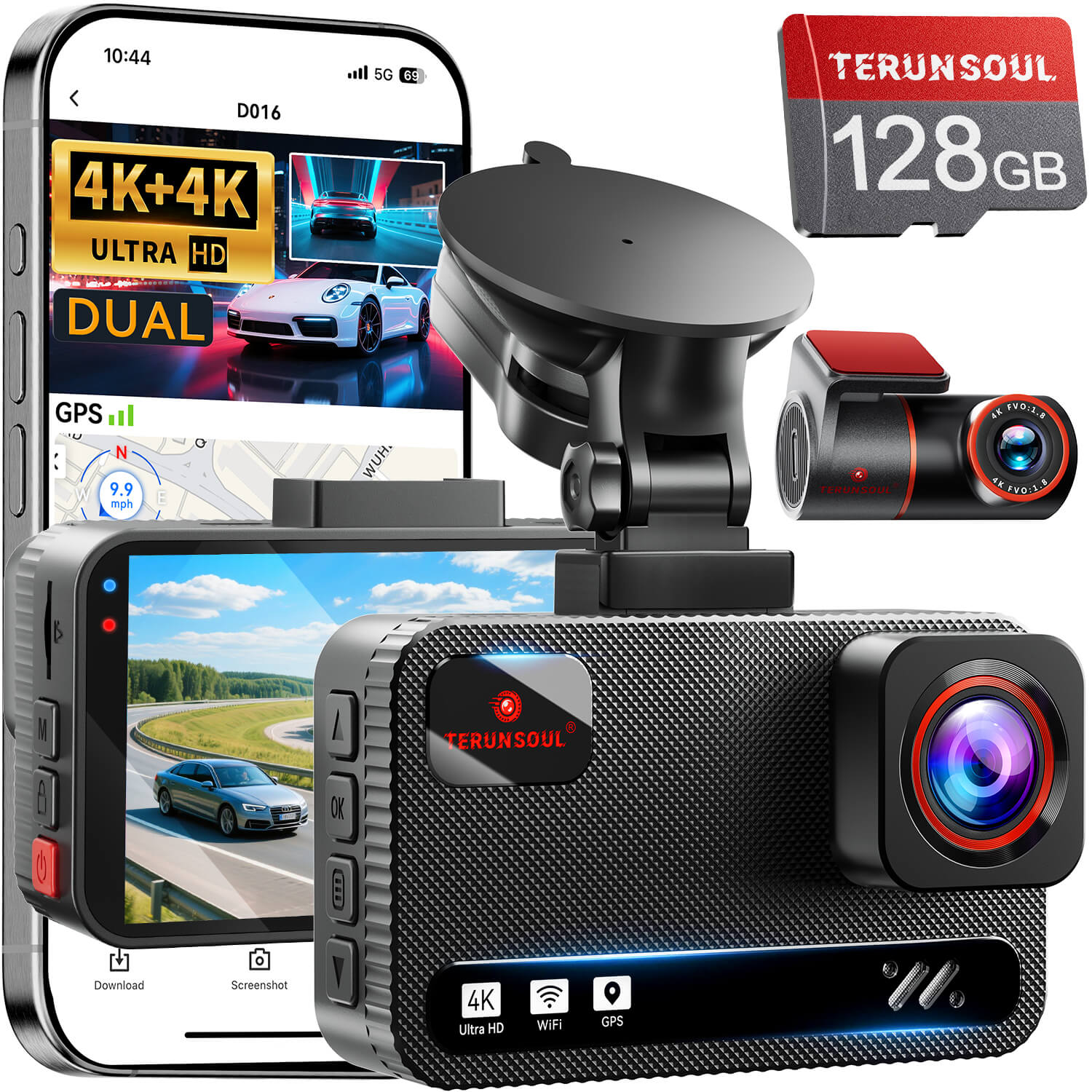
For drivers looking for front-and-rear coverage, the TERUNSOUL D016 offers simultaneous 4K front and 4K rear recording.
According to its official product specifications, the D016 includes G-sensor collision sensing and loop recording. The sensor can automatically lock the current video when a collision is detected, helping protect the clip from being overwritten during normal recording. The camera also supports emergency recording and file locking.
The D016 supports parking monitoring as well, but this requires a compatible TERUNSOUL ACC three-core step-down cable or OBD step-down cable, sold separately, to provide power after the engine is switched off.
These functions serve different purposes: G-sensor collision sensing helps identify significant movement while the camera is operating, loop recording allows ongoing recording, and parking monitoring provides recording options when the vehicle is parked.
For full specifications and compatibility information, visit the TERUNSOUL D016 product page.
7. How to Avoid Losing Important Dash Cam Footage
Even when your dash cam includes a G-sensor, a few simple habits can make footage easier to manage.
Check your recordings periodically. Make sure the camera is recording correctly and that expected event files are being saved.
Review your sensitivity settings. If minor bumps generate too many locked clips, adjust the setting if your camera supports it.
Keep your memory card in good condition. Use a compatible card, follow the manufacturer's maintenance recommendations, and pay attention to any recording errors.
Back up important clips promptly. Copy accident footage to another device or storage location as soon as practical. Do not rely solely on the copy stored in the camera.
Learn how manual file locking works. If you witness an incident that the sensor may not detect, a manual emergency-recording or file-lock function can be useful when available. Use it only when it is safe to do so.
These habits help you get more value from the camera's recording and file-protection features without relying on a single sensor to do everything.
Frequently Asked Questions
Does a G-sensor record every accident?
No. A G-sensor detects movement and changes in acceleration, not accidents themselves. Some impacts may not trigger it, depending on the force, sensitivity, settings, and camera design.
Why does my dash cam lock footage on bumpy roads?
The movement caused by potholes, uneven pavement, or speed bumps may exceed the sensor's trigger threshold. If your model allows sensitivity adjustment, review the settings and make gradual changes.
Can a G-sensor work when the car is parked?
It can help trigger collision-related recording when the dash cam supports a compatible parking mode and has power. A G-sensor by itself does not keep the camera running after the vehicle is switched off.
Will locked videos ever be deleted?
That depends on the camera's file-management rules, storage conditions, and whether the files are backed up. Do not assume that every locked file is permanently preserved. Review important clips and back them up.
Is G-sensor sensitivity the same on every dash cam?
No. Available settings, trigger behavior, and file-protection methods vary by model. Consult the specific camera's manual instead of assuming that one setting will work the same way on every device.
Final Thoughts
A G-sensor is a useful dash cam feature because it can help protect footage when the camera detects a significant impact or sudden change in movement. Its effectiveness depends on the device, settings, recording status, and storage conditions.
Understanding the difference between G-sensor detection, loop recording, and parking mode makes it easier to choose appropriate settings and manage important footage.
For the best results, check your camera's instructions, review event recordings regularly, and back up important videos instead of relying on automatic protection alone.

Commenta
Nota che i commenti devono essere approvati prima di essere pubblicati.
Questo sito è protetto da hCaptcha e applica le Norme sulla privacy e i Termini di servizio di hCaptcha.