




You've probably been drawn to the “24-hour parking mode” feature when shopping for a dash cam. The car is parked, you're not there, but the dash cam keeps watching — sounds perfect. But the question that immediately follows is: won't 24/7 recording drain my car battery? What if I can't start the car the next morning?
That's a valid question. 24-hour parking mode does require continuous power, and that power comes from your car battery. But the good news is: as long as you install the hardwire kit correctly and set up low-voltage protection, your battery is safe.
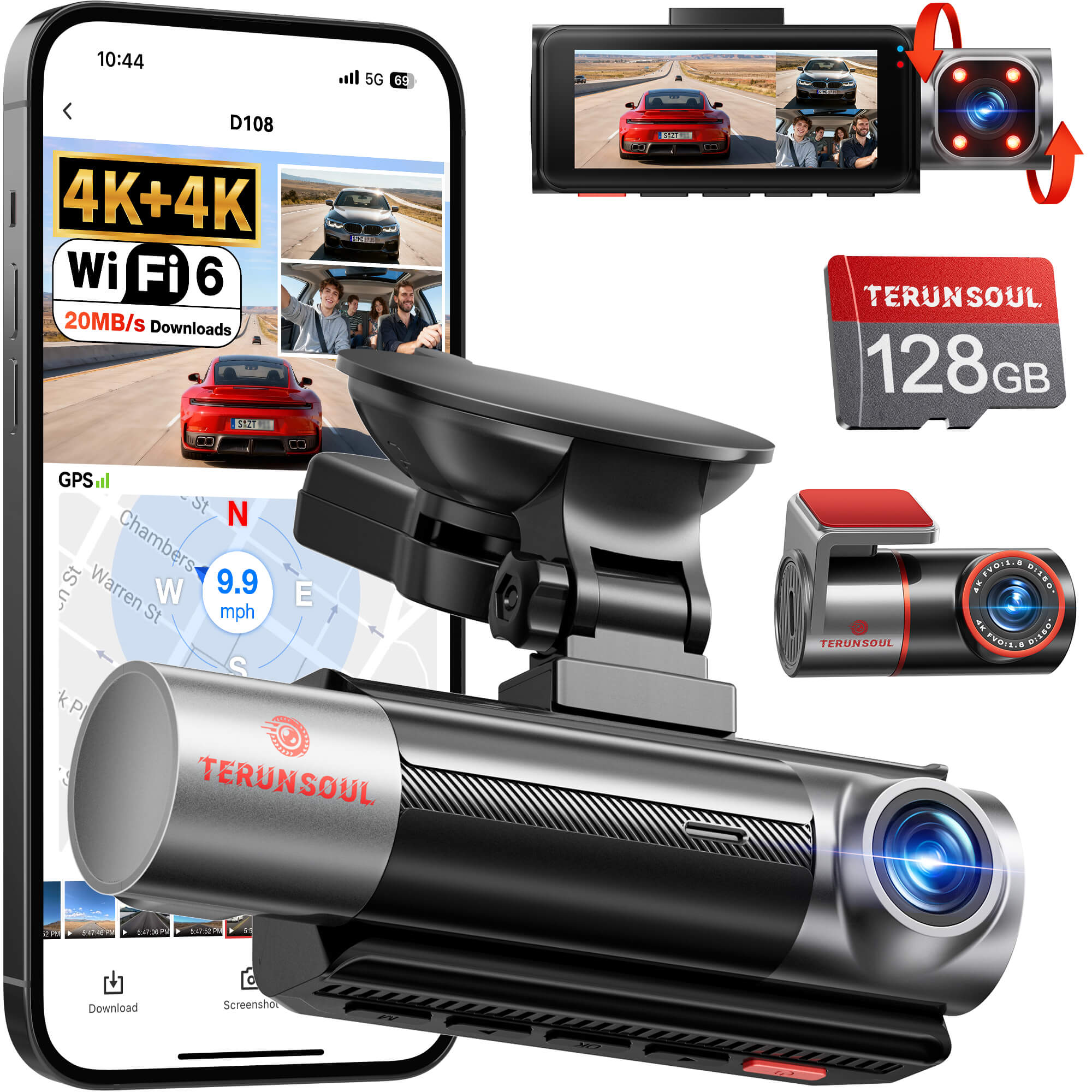
Today, we'll use the Terunsoul D018 three-channel dash cam as a complete demonstration — how parking mode actually works, how to install the hardwire kit, and how to make sure your battery never drains.
Will parking mode drain my battery? The answer is yes, but there's a way to prevent it.
Let's be honest: any device that runs 24 hours a day will consume battery power. In parking mode, a dash cam typically consumes between 0.5W and 2W — about the same as a small LED night light. A normal car battery (about 50-60Ah) can support 48 hours or more of continuous monitoring at this power draw.
But here's the catch — if you don't drive for several days, or if your battery is already aging, it is possible to drain it. That's why Terunsoul's hardwire kit includes a critical feature: low-voltage protection.
The hardwire kit (ASIN: B0FN848PK2) automatically monitors your vehicle's battery voltage. When the voltage drops below the set threshold, it automatically cuts power to the dash cam, preserving enough charge for your vehicle to start normally. The adjustable low-voltage protection range is 11V-12V (for 12V systems) or 23.2V-24.2V (for 24V systems).
In other words: you don't need to worry about battery drain. The hardwire kit will cut power to itself before your battery dies.
What is a hardwire kit? Why isn't the cigarette lighter enough?
The problem with cigarette lighter power is: it turns off when the engine is off. You want parking mode, but the dash cam loses power as soon as the car is off — so what's the point of monitoring?
The hardwire kit connects the dash cam directly to your vehicle's fuse box. It connects to two power sources simultaneously:
-
Yellow wire (Constant power/BAT): Connects to a fuse slot with continuous power — stays on even when the engine is off, providing power for parking mode.
-
Red wire (ACC): Connects to a fuse slot that powers on with the ignition — automatically wakes up the dash cam when you start the car, and switches to parking mode when you turn it off.
-
Black wire (Ground/GND): Connects to a metal bolt on the vehicle's chassis to complete the circuit.
These two wires each have their own job, working together with low-voltage protection to deliver 24/7 intelligent power.
Complete Hardwire Installation Steps
Below is the complete process for installing 24-hour parking mode using the Terunsoul hardwire kit.
Step 1: Gather tools and materials
You'll need:
-
Terunsoul D018 dash cam (already installed)
-
TERUNSOUl Hardwire Kit
Step 2: Locate the fuse box
Most vehicles have the fuse box under the dashboard or behind the glovebox. Check your owner's manual for the exact location. You only need the interior fuse box — no need to touch the one in the engine bay.
Step 3: Identify the two fuse slots
Use the voltage meter to test the fuse slots:
-
Start the vehicle and test which slots have power → note these down (ACC candidates)
-
Turn off the vehicle and test again → slots that still have power after shutdown are constant power (yellow wire); slots that lose power are ACC (red wire)
Step 4: Install the Add-A-Fuse taps
The hardwire kit includes 8 fuse taps in different sizes. Find the tap that matches your vehicle's fuse size, insert the original fuse into the lower slot of the tap, then plug the tap back into the fuse slot. Pay attention to orientation — plugging it in backwards may break the circuit.
Step 5: Connect the three wires
-
Yellow wire → Connect to the constant power fuse tap
-
Red wire → Connect to the ACC fuse tap
-
Black wire → Connect to a metal bolt on the vehicle chassis (ground)
Step 6: Route the cables
Route the cables along the edge of the headliner and inside the A-pillar trim. Use the trim tool to gently pry open the panels, tuck the wire inside, and snap the panels back. Keep the wires completely hidden — it looks cleaner and prevents them from getting snagged.
Step 7: Connect the dash cam and test
Plug the hardwire kit's USB-C output into the Terunsoul D018's power port. Start the vehicle and confirm the dash cam powers on automatically. Turn off the ignition and confirm it enters parking mode. Find the “Parking Mode” or “Time-Lapse Recording” option in the menu and enable it.
Hardwire Kit Technical Specifications
About Terunsoul D018 Parking Mode
The Terunsoul D018 supports 24-hour parking monitoring with two operating modes:
-
Time-Lapse Mode: Continuously records at a low frame rate (e.g., 1 frame per second) with very low power consumption. A 128GB card can cover an entire night of monitoring footage.
-
Collision Detection Mode: Stands by without recording; when the G-sensor detects a collision or vibration, it instantly wakes up and starts recording.
Both modes can be enabled simultaneously: low-power time-lapse recording normally, with automatic locking of critical footage upon impact. Whether your car is parked on the street, in a parking lot, or in your own garage, the D018 continues to protect your vehicle after you leave.
Note: Parking mode requires a separately purchased hardwire kit it is not included in the standard package. The D018's operating temperature range is -20°C to 70°C, sufficient for most extreme weather conditions.
Common Questions
Q: Do I have to manually turn parking mode on and off every time?
A: No. The hardwire kit's red wire (ACC) detects when the vehicle is turned off and automatically switches the dash cam to parking mode. When you start the car, it automatically switches back to normal recording mode. No manual intervention needed.
Q: Which consumes more power — time-lapse or collision detection?
A: Time-lapse consumes continuous but very low power; collision detection consumes almost no power in standby and only wakes up briefly upon impact. Both modes consume far less power than normal recording. We recommend enabling both for the best balance of power savings and evidence integrity.
Q: My car is older and the battery is a few years old. Is parking mode safe to install?
A: Yes, but we recommend setting the low-voltage protection threshold higher, to 12V. This way the dash cam will cut power when the battery voltage drops to 12V, leaving plenty of charge to start the vehicle. If your battery is already showing signs of age, we recommend replacing it before installing parking mode.
Q: Is the hardwire kit difficult to install?
A: Moderate difficulty. If you have some DIY skills and follow the manual step by step, you can complete it in 45 to 90 minutes. If you're not familiar with automotive electrical systems, we recommend having it installed by a professional.
Conclusion
Will 24-hour parking mode drain your battery? The answer is: as long as you install the hardwire kit correctly and enable low-voltage protection, it won't. The Terunsoul hardwire kit automatically cuts power when the battery voltage gets too low, protecting your vehicle's ability to start normally. The Terunsoul D018's front and rear dual 4K plus cabin 1080P three-channel system, combined with 24-hour parking monitoring, ensures someone is always watching your vehicle, no matter where you are.
Terunsoul D018 three-channel dash cam + hardwire kit, just over $100 ready out of the box with a free 128GB card. Full aluminum body for heat dissipation, 18-month warranty. Install it — it records road conditions during the day and watches your vehicle at night, 24 hours a day without rest.
Choose Terunsoul D018 + hardwire kit. Let parking mode be your car's invisible guardian.



Leave a comment
All comments are moderated before being published.
This site is protected by hCaptcha and the hCaptcha Privacy Policy and Terms of Service apply.