

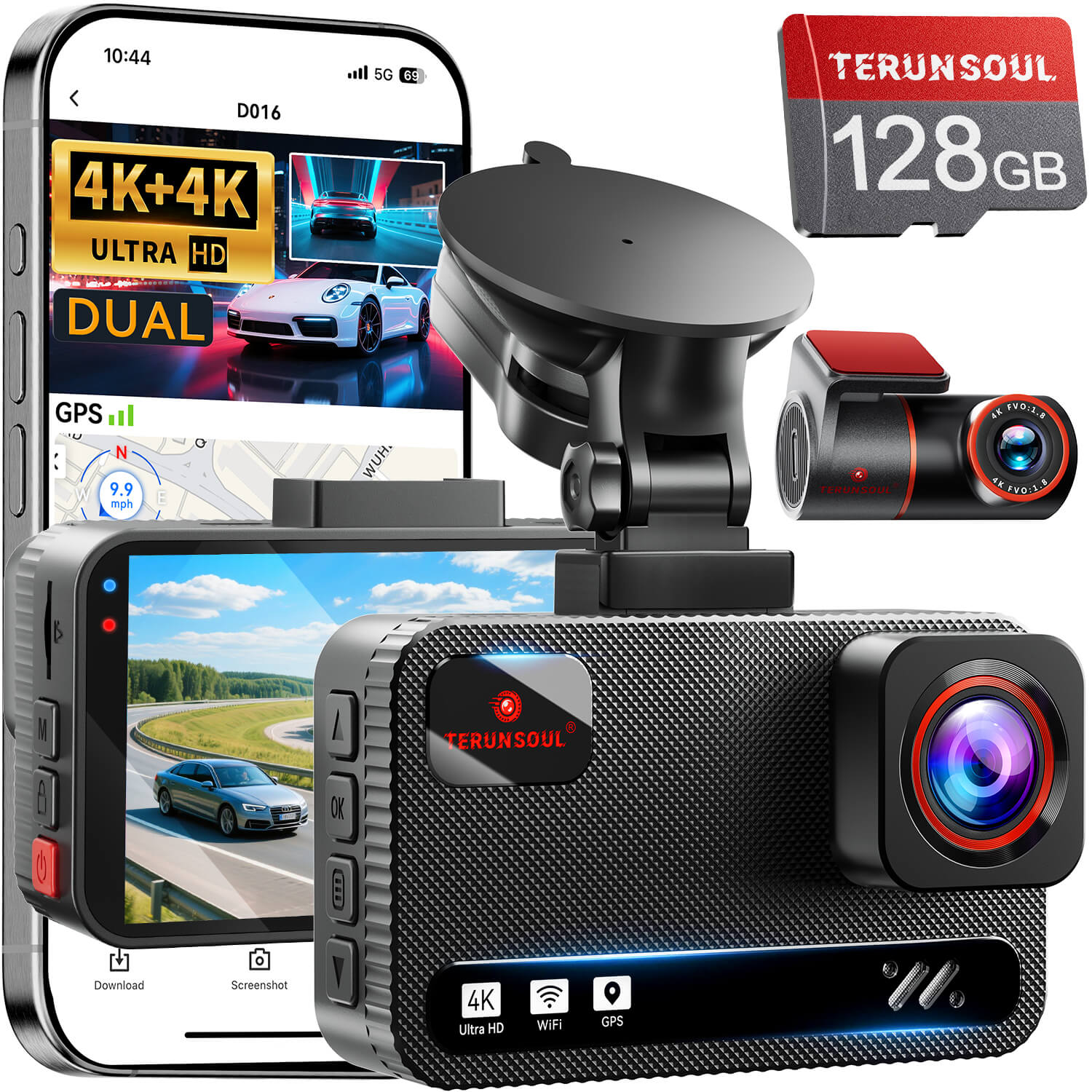
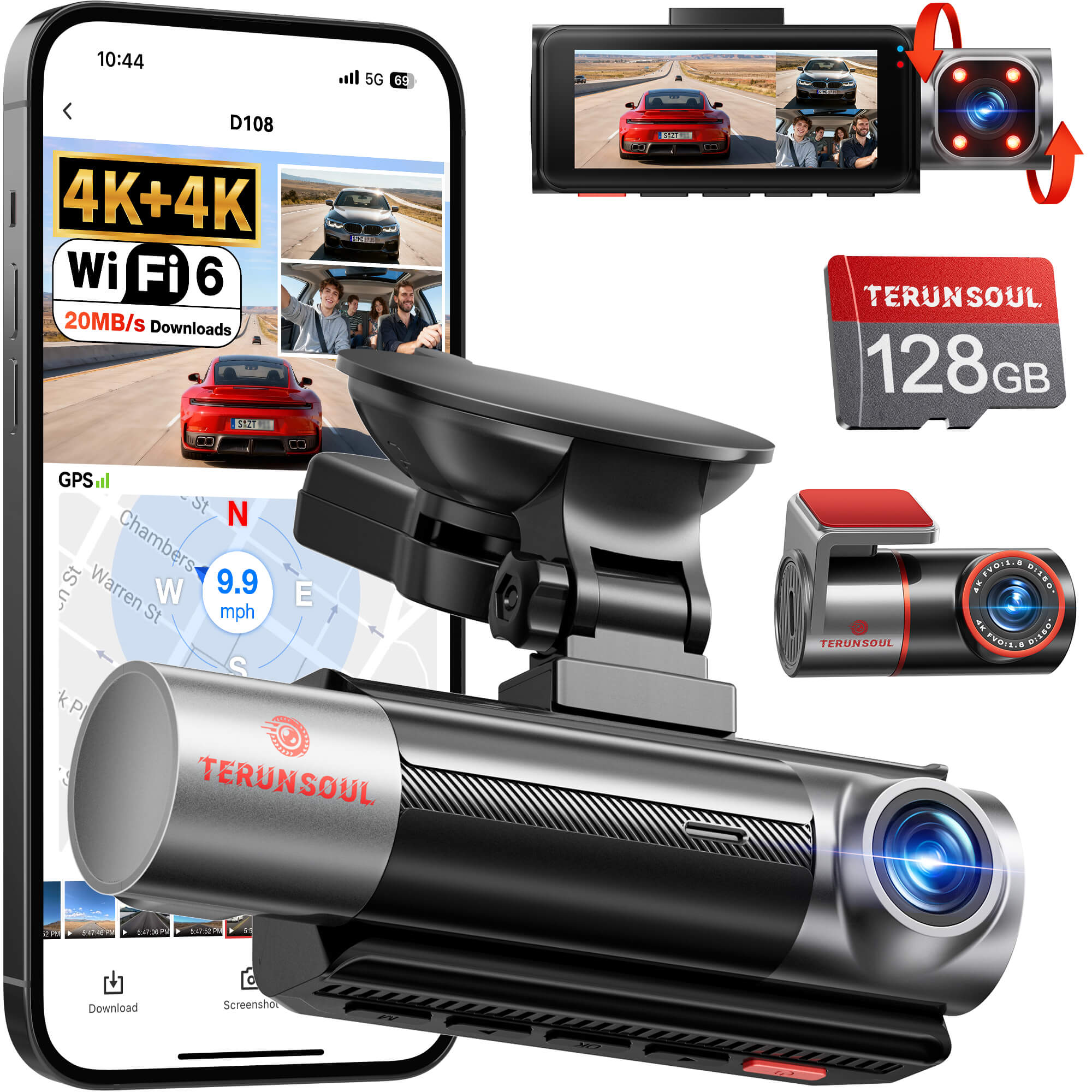


A good dash cam does one job better than any driver’s memory: it keeps the facts. After testing-based comparisons, the best dash cams rise fast because they combine sharp footage, dependable parking mode, and features that stay useful after the novelty wears off. This guide is built for daily drivers, commuters, families, and rideshare users who want clear rankings, practical tradeoffs, and a realistic sense of what different budgets buy. Expect straight talk on image quality, rear coverage, app control, and whether spending more actually changes what gets recorded.
Best Dash Cams of 2026: Tested Top Picks
- The top picks here are ranked for a mix of image quality, feature set, reliability, and ease of daily use.
- Testing focused on real driving conditions, not just spec sheets, so daytime clarity, night performance, glare handling, and parking mode all influenced rankings.
- This guide is aimed at drivers who want a best dash cam for everyday protection, plus commuters, families, and rideshare users who need stronger evidence when something goes wrong.
- Budget differences matter: premium models often add 4K front cam clarity, built-in GPS, and more channels, while lower-priced options can still provide solid video evidence if you accept fewer extras.
Why a Dash Cam Matters
Prove your innocence with video evidence
- Footage can settle crashes, hit-and-run claims, and insurance disputes when eyewitness memory is fuzzy or incomplete.
- Objective recording usually carries more weight than a passenger’s recollection or a driver’s best guess about timing, speed, or lane position.
- That evidence can speed up claims handling and offer stronger legal protection when another driver changes their story.
What dash cams capture beyond accidents
- Parking lot scrapes, vandalism, theft attempts, and roadside arguments all fall into the dashcam use case.
- Continuous loop recording creates quiet peace of mind whether the car is moving or parked outside for hours.
- Some owners also use clips to save scenic drives, odd wildlife moments, or unusual road events that would otherwise be lost.
How We Evaluated the Best Dash Cams
Testing criteria that separate good from great
- We looked at daytime footage, night scenes, tunnel transitions, and harsh glare to see which models stay readable when conditions get messy.
- Sharp footage matters, but so does handling motion blur and preserving plate detail during quick lane changes or braking.
- Setup ease and day-to-day usability were treated as real ranking factors, because a camera that is annoying to live with often gets ignored.
Why mounting, app use, and reliability matter
- Installation difficulty, menu layout, and mounting stability on rough roads can make a strong camera feel either polished or frustrating.
- App connectivity affects how quickly clips transfer and how easily settings change from a phone, especially after an incident.
- Long-term reliability and heat resistance matter as much as image specs, since a dash cam that fails in summer traffic is not much help.
Best Overall Dash Cam
Why this pick leads the category
The best overall pick is the one that most consistently blends 4K resolution, dependable GPS, parking mode support, and flexible camera configurations without turning setup into a weekend project. A strong 4k dash cam in this slot should keep details readable in bright sun, offer solid low-light performance, and include practical tools like loop recording and app control. The best models also avoid the trap of overpromising with fake 4K claims or mushy compression. For most drivers, this category leader is the safest answer because it delivers premium results without a pile of annoying tradeoffs
Who should buy it
- Buyers who want one premium camera that does almost everything well will get the most value here.
- Drivers wanting front and rear coverage benefit from this class more than from a front-only upgrade.
- It is a strong fit for anyone focused on long-term peace of mind rather than the lowest possible upfront cost.
| Best overall traits | What matters most |
|---|---|
| 4K front cam | Better plate readability and road detail |
| GPS tracking | Stronger incident records |
| Parking mode | Protection while parked |
| App connectivity | Easier clip access and settings |
Best Value Dash Cam
What makes it the smartest midpriced choice
The smartest midpriced option usually wins by keeping the important stuff and trimming the extras that matter less in everyday driving. That means sharp enough footage, a compact body, built-in GPS, and app connectivity that does not feel clunky. Glare reduction is a real benefit here too, because dashboard glare and reflections can ruin otherwise usable footage. If the camera is easy to install and stays put on rough pavement, the value improves quickly. This is the sweet spot for buyers who want a clear upgrade from bargain models without crossing into premium pricing.
Best for everyday drivers on a budget
- It covers core needs like collision evidence, loop recording, and dependable daily operation without stretching into premium territory.
- Compared with pricier models, it often gives up extra channels or advanced cloud features rather than essential recording quality.
- That balance makes it especially practical for commuters and first-time buyers who want a trustworthy dashcam, not a hobby project.
Best 4K Dash Cam Picks
Why 4K resolution matters
4K resolution helps preserve road texture, lane markings, signs, and license plates that can blur together at lower resolutions. But resolution alone does not decide the outcome. Sensor quality, lens tuning, and processing still shape night performance and dynamic range, which is why a good 4k dash cam often uses a strong sony starvis 2 sensor or similar hardware. Buyers should also be wary of upscaled footage dressed up as true 4K. When the goal is crisp evidence, the sensor is just as important as the headline number.
Top 4K options for different budgets
| Budget tier | Best use case | What to look for |
|---|---|---|
| Premium | Maximum detail, multi-channel coverage | 4K front and rear recording, GPS, strong parking mode |
| Midrange | Balanced everyday protection | Reliable 4k front cam, solid app control, good glare handling |
| Affordable | Simple upgrade from 1080p | True 4K capture, stable mount, decent low-light performance |
Premium models make sense for drivers who want both detail and flexibility, while midrange choices are often the best value if one camera already covers the commute well. Affordable 4K can still be worthwhile, but only if the camera keeps detail sharp in bright sun and does not fall apart after dark. If the buyer’s priority is plate capture and roadside detail, 4K should come before extra channels. If cabin or rear coverage matters more, a lower-resolution multi-camera setup can be the smarter move.
Best Front and Rear Dash Cam
Why rear camera coverage is worth it
Rear coverage pays off the first time a tailgater, rear-end collision, or hit-and-run needs to be documented from behind. A rear camera adds context that a front-only unit simply cannot provide, especially if another driver claims the impact happened differently. In parking lots, the rear angle can catch reverse bumps and suspicious movements that never appear in the front lens. For many families and commuters, that second view is the difference between partial evidence and a complete story.
What to expect from dual-channel setups
- Dual-channel systems take more cable routing, a little more installation care, and more storage because two streams are being saved.
- Rear resolution and tinted glass both affect how usable the back footage looks, especially at night.
- A front-only camera is still enough for simple, low-cost protection if the buyer mainly wants accident evidence from the road ahead.
| Setup | Pros | Tradeoff |
|---|---|---|
| Front only | Simpler install, lower price | Limited incident context |
| Front and rear | Better crash coverage | More cable routing and storage use |
Best Dash Cam with Interior Camera
Who needs cabin monitoring
Cabin monitoring matters most for rideshare drivers, fleet operators, parents, and anyone who wants passenger interactions recorded along with the road. An interior camera can document disputes, vandalism inside the car, or behavior that matters after an incident. For Uber and Lyft drivers, this coverage can be a strong deterrent and a helpful witness. Casual solo drivers may not need it at all, which is why interior camera systems should be chosen for a clear reason rather than just because they exist.
How cabin cameras improve coverage
- Wide-angle cabin views help capture passengers and interior events, while infrared recording improves night visibility.
- A 1080p interior camera is often enough because the goal is clear context rather than license plates inside the car.
- Three-channel setups improve protection but also raise price, storage demand, and installation complexity.
That tradeoff is important. A 3-channel system can be excellent for professional drivers, but it may be overkill for someone who only wants proof of a rear-end crash. More channels also mean more files to manage and a larger microSD card requirement. In practice, cabin monitoring is most valuable when the car doubles as a work space or family shuttle.
Best Parking Mode Dash Cam
Buffered parking recording explained
Buffered parking recording captures a few seconds before the trigger, which is exactly why it matters. Without that pre-impact footage, a hit-and-run may only show the aftermath, not the car that caused it. Motion and impact sensors work together to catch break-ins, backing mishaps, and contact events while the vehicle is off. Standard parking mode is helpful, but buffered systems usually tell a more complete story. Low-power parking mode can extend coverage, though sometimes with reduced frame rate or feature limits.
Hardwired and battery-powered parking options
- Fuse-box hardwiring is the most common route for parking mode because it lets the dash cam run after ignition is off.
- External battery packs reduce vehicle battery strain and are better for long parking sessions or airport storage.
- Voltage cutoffs are essential either way, since battery protection prevents the dash cam from draining the car too far.
For owners who park outside every day, hardwired parking mode is usually the cleanest answer. For long trips or airport lots, a dedicated battery pack can offer more security with less worry. The right choice depends on how long the car sits, how often the camera needs to wake up, and whether the owner wants the installer to open the fuse box or keep things simple.
Best Dash Cam for Hot Climates
Heat resistance and supercapacitors
High temperatures punish cheaper electronics fast, and dash cams parked in direct sun can get much hotter than most buyers expect. That is why supercapacitors often beat lithium batteries in warm climates: they tolerate heat better and are less likely to fail early. Drivers in desert regions or anyone leaving a car in a sun-baked lot should treat heat resistance as a core feature, not a bonus. A dash cam that survives July traffic and a sealed windshield is doing real work.
What buyers in warm regions should prioritize
- Strong mounting, compact design, and stable firmware matter more than flashy extras when heat is the enemy.
- Parking recording can add thermal stress, so a heat-friendly design is more valuable than a long feature list.
- A reliable build is especially important for vehicles that sit in direct sun for hours each day.
In hot climates, the best dash cam is often the one that simply keeps functioning after other models start acting strange. That means fewer gimmicks, better materials, and a design that handles summer without constant reboots or file corruption.
Best Compact Dash Cam
Small size without sacrificing too much quality
Compact cameras solve a very specific problem: windshield clutter. A low-profile body reduces distraction, looks cleaner from outside, and often makes the whole setup feel less intrusive. The tradeoff is usually a smaller screen or more reliance on app control. That can be a fair deal for drivers who do not want a big rearview-mirror-like device hanging in the center of the windshield. The best compact units stay discreet without sacrificing the footage quality that matters after an incident.
Best for small windshields and stealth installs
- Compact models are a strong fit for tight cabins, visible placement concerns, and small windshields with limited mounting space.
- Low-profile cameras can discourage theft because they are less obvious from outside the vehicle.
- When buttons and screens are minimized, buyers should check whether app navigation feels reliable enough for everyday use.
For some drivers, stealth matters almost as much as image quality. A small unit tucked near the rearview mirror can be easier to live with than a feature-heavy camera that dominates the cabin.
Best Budget Dash Cam
What to expect under a lower price
Budget dash cams can still be useful, but expectations should stay realistic. Build materials may be thinner, app connectivity may feel basic, and low-light performance usually trails more expensive rivals. Even so, a cheap camera that records clearly in daylight can still provide strong evidence after a fender-bender. The features that should not be skipped are loop recording, decent impact locking, and a mount that stays put. Without those basics, the lower price stops being a bargain.
Where budget models cut corners
- Night footage is often weaker, mounts are thinner, and parking support may be limited or missing altogether.
- Some low-cost cameras do not include a microsd card, which creates hidden costs after checkout.
- Acceptable compromises include a smaller screen or fewer extras, but weak reliability is not one of them.
Budget models make sense for drivers who mainly want everyday evidence and do not need advanced parking features or multi-channel recording. The key is not to confuse cheap with disposable; a well-chosen budget cam can still prove your innocence when it counts.
Best Dash Cam Features to Look For
Image quality, field of view, and low-light performance
Good footage starts with the full imaging chain, not just resolution. Sensor quality, lens tuning, and HDR all influence whether license plates and lane markings remain readable. Field of view should be wide enough to capture adjacent lanes without turning the image into a fisheye mess. Low-light performance matters as much as daytime clarity because many incidents happen after dark, in parking lots, or under harsh street lighting. Dashboard glare can also wash out footage, so a camera that handles reflections well is worth extra attention.
GPS, app connectivity, and voice control
- Built-in GPS and GPS map data strengthen incident records by adding speed and location context.
- Fast app connectivity makes it easier to download clips and adjust settings without pulling the card out every time.
- Voice control is useful when it works well, especially if a driver wants hands-free clip saving on busy roads.
These features are not just marketing extras. GPS can help settle timeline questions, app control can save frustration, and voice recording tools can keep the camera usable without taking attention off the road.
Storage, loop recording, and microSD card needs
- Loop recording automatically overwrites the oldest clips, so the camera keeps recording without manual file management.
- 4K and multi-camera systems need more storage, which makes card capacity and write speed more important.
- A reliable microSD card is essential because slow or low-grade cards can cause dropped footage or corruption.
Power, hardwiring, and parking mode support
- 12V power, USB power, and hardwired installations each have different convenience and parking-mode tradeoffs.
- Parking mode usually depends on a fuse-box connection unless the system uses a separate battery pack.
- Voltage cutoffs and battery protection features help reduce the chance of a drained vehicle battery.
| Feature | Why it matters |
|---|---|
| Built-in GPS | Location and speed context |
| Loop recording | Automatic file overwriting |
| Hardwired | Better parking mode support |
| Voice control | Safer hands-free use |
How to Install a Dash Cam
Mounting position and visibility
The cleanest placement is high and centered near the rearview mirror, where the camera can record without blocking the driver’s field of view. That position also tends to reduce dashboard glare and keeps the device less obvious from outside. Local windshield-mount laws can affect placement, so discreet mounting is usually the safest starting point. A camera that is easy to install but still positioned badly can undermine the whole purchase.
Routing cables cleanly
Good cable routing makes the install look intentional instead of improvised. Hiding the wire along the headliner and pillars keeps the cabin tidy and reduces the chance of snagging. It also makes the setup safer, especially if the driver gets in and out often. Trim tools and clip-friendly installation aids help avoid damaging the interior during the process. Small details matter here because a neat install tends to stay stable longer.
When to hardwire or hire a professional
- Basic plug-in installation is enough for many drivers who only want front recording and do not care about parking mode.
- Hardwiring makes sense when parking coverage and a cleaner cabin layout are priorities.
- Professional installation is worth considering for complex multi-camera setups, especially when a rear camera and cabin camera are both involved.
Do You Need a Front and Rear Dash Cam?
When a front camera is enough
A front-only camera can be enough for drivers who mostly want protection from the road ahead and prefer a minimal setup. It costs less, installs faster, and is easier to manage over time. For some commuters, especially those on a tight budget, that simplicity is the main advantage. A rear camera adds value, but not every driver needs it on day one.
When rear or cabin cameras are worth the upgrade
- Rear-end crash protection and parking lot incident coverage are the biggest reasons to add a rear camera.
- Cabin cameras make more sense for rideshare and family use cases where passenger interactions matter.
- The upgrade is worth it when the added coverage outweighs the higher cost and extra installation effort.
If the vehicle often carries passengers, gets parked in crowded areas, or faces a lot of commuter traffic, the extra channels can be well worth it. If the car mostly handles short solo trips, front-only coverage may be the more practical choice.
Dash Cam Legality and Audio Recording
What drivers should know about windshield laws
Dash cams are generally legal in the United States, but windshield mounting rules vary by state. Some states care about obstructions and some are more relaxed, so checking local restrictions is smart before permanent placement. Discreet mounting behind the rearview mirror often reduces the chance of a legal issue while keeping the camera useful. The goal is to record clearly without creating a visibility problem.
Audio recording and privacy concerns
- Two-party consent laws can affect whether audio recording should be enabled, especially in states with stricter privacy rules.
- Voice recording may create legal or privacy risk if passengers are unaware or uncomfortable.
- If audio is turned on, notifying passengers is the safer, more transparent choice.
Audio can help explain a dispute, but it is not always worth the privacy complications. For many buyers, disabling audio recording by default is the safest middle ground.
Frequently Asked Questions
What is the best dash cam overall?
The best dash cam overall is usually the one that balances image quality, parking mode, and usability without creating new headaches; a premium 4K front-and-rear system is the safest answer for most drivers, while a budget-friendly front-only model is the best backup for shoppers who want to spend less.
Is 4K better than 2K or 1080p?
4K can capture more detail, especially for plates and road signs, but a strong 2K camera can outperform a cheap 4K model at night. Sensor quality matters as much as resolution, and low-light tuning often decides whether footage is actually usable.
Does a dash cam drain the car battery?
Parking mode can draw power when the engine is off, which is why hardwiring needs caution and a proper voltage cutoff. Battery packs are the safer choice for long-term parked-car monitoring because they reduce strain on the vehicle battery.
Are dash cams worth it?
Yes, because the value shows up when something goes wrong: insurance disputes, hit-and-runs, and parking damage all become easier to prove. Even a low-cost cam can be worth it if it records clearly and reliably.
Final Picks by Driver Type
Best for commuters, families, rideshare, and parked-car security
| Driver type | Best fit | Why it stands out |
|---|---|---|
| Commuters | Best value dash cam | Strong everyday protection without premium pricing |
| Families | Front and rear dash cam | Better coverage for daily trips and parking lots |
| Rideshare | Dash cam with interior camera | Cabin monitoring and passenger documentation |
| Parked-car security | Best parking mode dash cam | Buffered recording and impact triggers |
For hot regions, a heat-resistant model with a supercapacitor is the safest long-term choice. For buyers focused on stealth, a compact dash cam makes more sense. For anyone who wants maximum detail, a strong 4k dash cam remains the premium answer.
How to choose the right dash cam today
The decision path is simple: set the budget, choose the number of channels, decide how important parking mode is, and think honestly about heat exposure. After that, reliability should outrank flashy extras. A camera that starts every morning, survives summer, and records clean footage is better than one loaded with features nobody uses. For most shoppers, the best dash cams are the ones that make evidence capture effortless the moment the unexpected happens.


Lämna en kommentar
Alla kommentarer modereras innan de publiceras.
Denna webbplats är skyddad av hCaptcha och hCaptchas integritetspolicy . Användarvillkor gäller.